8 Best Silent Mice for Noiseless Clicking (2026)
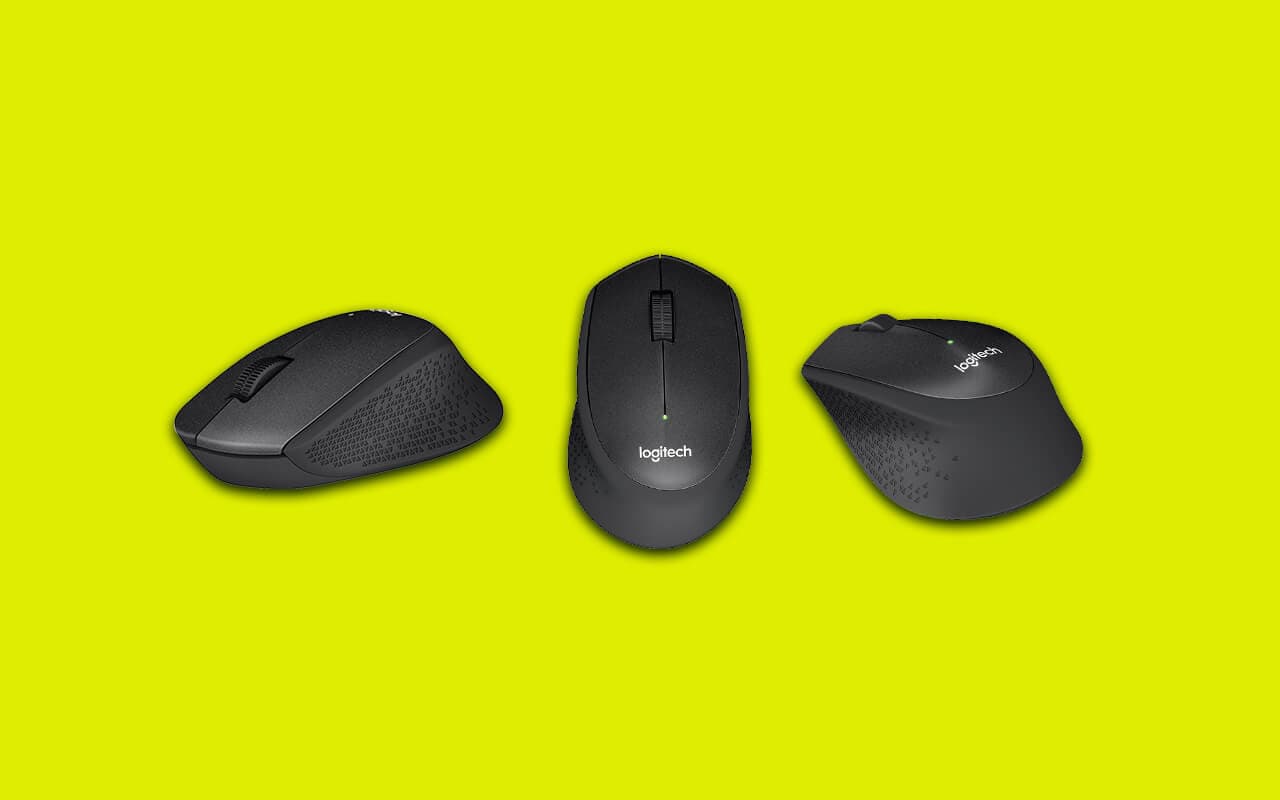
Disclosure: This post may contain affiliate links. If you purchase through these links, we may earn a small commission at no extra cost to you.
If you share an office, take calls at your desk, or work next to a sleeping partner, the constant click-click-click of a standard mouse is more annoying than you realize — until it's gone. A silent mouse swaps the sharp mechanical snap for a soft, dampened press, cutting the loudest sound on most desks by around 90%.
The good news: you no longer pay a real premium for quiet. Logitech now builds its SilentTouch quiet clicks into everything from the ~$20 M240 up to its flagship MX Master 4, and there are credible budget options below that. This guide has been fully updated for 2026 — most of the mice from earlier versions of this list are discontinued or gone from the market entirely, so every pick below is a current model you can actually buy.
What makes a mouse "silent"?
A normal mouse click is the sound of a small metal leaf spring snapping inside the micro-switch. Silent mice use dampened switches (Kailh's Mute/Silent series and Logitech's SilentTouch design are the common ones) that keep the tactile bump of a click but suppress the acoustic snap — you feel the click, you just barely hear it. Good silent mice also quiet the scroll wheel with a rubberized or electromagnetic mechanism and add internal ribs so the shell doesn't echo.
Logitech rates its SilentTouch mice at "90% less click noise," and its silent-mouse engineering paper reports measured reductions up to 93%. Independent switch-swap tests land in the same ballpark — roughly a 20–25 dB drop, which takes a click from "heard across the room" to "barely audible at arm's length." No mouse is literally silent, but the difference is dramatic.
Quick comparison
| Mouse | Connectivity | Battery | Best for | Approx. price |
|---|---|---|---|---|
| Logitech Signature M650 | Bluetooth + Logi Bolt USB | AA, ~24 months | Best overall | ~$30–40 |
| Logitech Signature M550 | Bluetooth + Logi Bolt USB | AA, ~24 months | Simple office use | ~$25–30 |
| Logitech MX Master 3S | Bluetooth + Logi Bolt USB | USB-C, ~70 days | Premium value | ~$80–100 |
| Logitech MX Master 4 | Bluetooth + USB-C Bolt | USB-C, ~70 days | Premium flagship | ~$120 |
| Logitech Lift | Bluetooth + Logi Bolt USB | AA, ~24 months | Ergonomic / wrist pain | ~$70–80 |
| Logitech M240 Silent | Bluetooth only | AA, ~18 months | Budget name-brand | ~$19–25 |
| Logitech Pebble 2 M350s | Bluetooth only | AA, ~24 months | Travel / tablets | ~$25 |
| TECKNET Silent Mouse | Bluetooth + 2.4 GHz USB | Rechargeable | Cheapest pick | ~$13–24 |
How we picked
Every pick is a model confirmed on sale new in 2026, from a brand with a track record — which ruled out most of the old list. VicTsing was banned from Amazon in the 2021 fake-review purge, no-name brands like Emospeak, FD, SHHH, and JSCO have vanished, and Logitech has discontinued the M330 Silent Plus and M590 in favor of its Signature series. We prioritized mice with a stated quiet-click design (not just "feels quiet"), long battery life, and a comfortable mainstream shape, then compared published specs, manufacturer noise claims, and professional reviews from outlets like RTINGS and Tom's Guide. Yes, the list is Logitech-heavy — they're simply the only major brand that has made quiet clicks a standard feature across a whole lineup. Prices are approximate; use the links for live figures.
1. Logitech Signature M650 — Best overall
- Connectivity: Bluetooth or Logi Bolt USB receiver (both included paths)
- Clicks: SilentTouch, 90% less click noise
- Scroll: SmartWheel — line-by-line precision plus free-spin flick scrolling
- Battery: 1× AA, up to 24 months
- Extras: 2 customizable side buttons; regular, Large, and left-handed versions
The M650 is the silent mouse to get if you just want the right answer. It has a comfortable contoured shape in two sizes (the M650 L for larger hands), two side buttons you can map to back/forward or copy/paste in Logitech's Options+ app, and a clever scroll wheel that ratchets for precision but free-spins when you flick it. The quiet clicks are Logitech's mature SilentTouch design — a soft, well-damped press that still feels crisp.
Pros: Quiet clicks and quiet scroll, side buttons, dual Bluetooth/USB-receiver connectivity, two-year battery, size and left-hand options.
Who it's for: Almost everyone — it's the best blend of comfort, features, and price here. Weakness: Runs on AA rather than recharging over USB-C, and customizing the side buttons requires installing Options+.
2. Logitech Signature M550 — Best simple office mouse
- Connectivity: Bluetooth or Logi Bolt USB receiver
- Clicks: SilentTouch, 90% less click noise
- Battery: 1× AA, up to 24 months
- Sizes: M550 (small/medium hands) and M550 L (large)
The M550 is essentially the M650 without the side buttons — same shape, same SilentTouch clicks, same two-year battery, a few dollars less. If you never touch extra buttons and want a clean three-button mouse for spreadsheets and browsing, there's nothing else to think about.
Pros: Same comfort and quietness as the M650 for less money, both Bluetooth and USB-receiver connections, two sizes.
Who it's for: Office workers who want a no-frills quiet mouse. Weakness: No side buttons — for a small price gap, the M650 gives you more.
3. Logitech MX Master 3S — Best premium value
- Sensor: 8,000 DPI, tracks on glass
- Clicks: Quiet Clicks — 90% quieter than the previous MX Master
- Scroll: MagSpeed electromagnetic wheel, near-silent, 1,000 lines/second
- Battery: USB-C rechargeable, up to 70 days
- Multi-device: Pairs with 3 devices, works across Windows/Mac/Linux
The MX Master 3S was Logitech's flagship until late 2025, and it's aged into the smart buyer's pick: since the MX Master 4 arrived, the 3S regularly dips to $75–85 on sale. It's one of the few premium productivity mice designed around quietness — both the main clicks and the electromagnetic MagSpeed scroll wheel are nearly inaudible — and the sculpted shape, thumb wheel, and app-specific button profiles are still best-in-class for heavy desk work.
Pros: Quiet clicks and a genuinely silent high-speed scroll wheel, superb ergonomics, 8K DPI glass-capable sensor, USB-C charging, frequent discounts.
Who it's for: Power users who want the best quiet productivity mouse without paying flagship price. Weakness: Heavy at 141 g, and it's no longer the newest model if that matters to you.
4. Logitech MX Master 4 — Best flagship
- Sensor: 200–8,000 DPI, tracks on glass
- Clicks: Quiet clicks (90% less noise), quiet MagSpeed scroll
- New: Haptic thumb panel with an on-screen "Actions Ring" for shortcuts
- Battery: USB-C, up to 70 days; a 1-minute charge gives ~3 hours
- Price: $119.99 list
Launched in September 2025, the MX Master 4 keeps everything quiet about the 3S and adds haptic feedback: a small vibration pad under your thumb confirms actions and drives a customizable radial shortcut menu. The peeling-prone soft rubber of older MX Masters is gone too, replaced by a textured hard finish. It's the most capable silent-click mouse you can buy — just not a necessary upgrade over a discounted 3S unless the haptics appeal to you.
Pros: Everything the 3S does plus haptic shortcuts, more durable shell, fast top-up charging.
Who it's for: Multi-device power users who want the newest flagship. Weakness: At 150 g it's the heaviest mouse here, and reviewers are split on whether the haptic Actions Ring is a workflow win or a gimmick.
5. Logitech Lift — Best ergonomic silent mouse
- Shape: 57° vertical, "handshake" grip; left-handed version available
- Clicks: Quiet clicks and silent scroll
- Connectivity: Bluetooth or Logi Bolt USB receiver
- Battery: 1× AA, up to 24 months
Vertical mice keep your forearm in a natural handshake rotation, which many people with wrist or RSI discomfort find dramatically more comfortable. The Lift is the rare vertical mouse that's also quiet — Logitech's bigger MX Vertical notably is not a silent-click model — making it the default choice if you need both. It's sized for small-to-medium hands and comes in a left-handed variant.
Pros: Genuine ergonomic benefit plus quiet clicks, dual connectivity, two-year AA battery, left-hand option.
Who it's for: Anyone with wrist strain who also needs a quiet office mouse. Weakness: Too small for large hands (Logitech points those users at the louder MX Vertical), and the vertical grip takes a few days of adjustment.
6. Logitech M240 Silent — Best budget name-brand
- Connectivity: Bluetooth only — no USB receiver
- Clicks: SilentTouch, 90% less click noise
- Battery: 1× AA, up to 18 months
- Size: Compact, ambidextrous
Around $20, the M240 gets you Logitech's real SilentTouch quiet clicks in a simple, compact three-button mouse. It connects over Bluetooth only, which keeps the cost down and suits laptops and tablets perfectly — just note there's no dongle option for desktops with flaky Bluetooth.
Pros: Cheapest way to get name-brand silent clicks, 18-month battery, travel-friendly size.
Who it's for: Laptop users who want a reliable quiet mouse for the least money. Weakness: Bluetooth-only, small for large hands, no extra buttons.
7. Logitech Pebble 2 M350s — Best for travel
- Connectivity: Bluetooth, pairs with 3 devices (Easy-Switch)
- Clicks: SilentTouch, 90% less click noise
- Battery: 1× AA, up to 24 months
- Design: Ultra-slim pebble shape, ~24 mm tall
The Pebble 2 is the mouse you toss in a laptop bag and forget about: flat, featherweight, and quiet enough to use in a library or a lecture without a second thought. It pairs with three devices and switches between them with a button — handy if you bounce between a laptop and an iPad.
Pros: Extremely portable, quiet clicks, three-device pairing, two-year battery.
Who it's for: Commuters, students, and tablet users. Weakness: The flat shape is uncomfortable for palm grips and larger hands during long sessions.
8. TECKNET Silent Mouse — Cheapest pick
- Connectivity: Bluetooth 5.2/3.0 plus 2.4 GHz USB receiver
- Battery: Built-in rechargeable, rated up to ~3 months per charge
- DPI: Up to 4,800 across 6 levels
- Price: Often under $15 on sale
If you want the least expensive credible silent mouse, TECKNET's rechargeable model is the budget-brand pick with real staying power — tens of thousands of Amazon ratings and a spec sheet (triple-mode connectivity, USB-C-style recharging, adjustable DPI) that undercuts the Logitech options. The compromises are what you'd expect at the price: the scroll wheel isn't as consistently quiet as the clicks, and long-term switch durability is unrated.
Pros: Very cheap, rechargeable instead of AA, both Bluetooth and USB-receiver modes, wide DPI range.
Who it's for: Budget buyers and second mice for the travel bag. Weakness: Scroll-wheel noise is inconsistent, and a no-name switch won't have the rated lifespan of Logitech's.
What to look for in a silent mouse
- A real quiet-click claim. Look for named tech (Logitech SilentTouch/Quiet Clicks, Kailh Silent switches), not just "quiet" in a listing title. The stated "90% less noise" figures are manufacturer numbers, but independent measurements back a reduction of roughly 20 dB — a big, audible difference.
- Quiet scroll wheel too. On several budget mice only the clicks are dampened and the wheel still rattles. Rubberized or electromagnetic (MagSpeed) wheels are the quiet ones.
- Connectivity. Dual Bluetooth + USB-receiver mice (M550/M650, MX Master, Lift) are the most flexible. Bluetooth-only models (M240, Pebble 2) are fine for laptops but can't help a desktop without Bluetooth.
- Battery. AA-powered Logitechs run 18–24 months per cell; rechargeables like the MX Master line go ~70 days per USB-C charge. Neither is wrong — pick your preference.
- Fit. Compact mice (M240, Pebble 2) suit small hands and travel; palm-grip users with large hands should look at the M650 L or MX Master.
Frequently asked questions
Are silent mice good for gaming?
For casual gaming, yes — any mouse here will handle it. For serious play, dedicated silent office mice have modest sensors and standard polling rates, so look instead at gaming mice with dampened or optical switches: Razer's recent optical-switch mice (the DeathAdder V3 family, Cobra) are much quieter than old mechanical-click gaming mice with zero latency penalty, since an optical switch actuates a light beam rather than snapping a metal contact. Be skeptical of roundups calling the Logitech G305 or G502 X "silent" — those use standard clicky switches.
Do silent mice feel mushy?
Less than they used to. Dampened switches trade the sharp snap for a softer, cushioned press, but good implementations (Logitech's SilentTouch, Razer's optical switches) keep a clear tactile bump so clicks never feel ambiguous. Genuine mush mostly lives in cheap no-name silent mice.
How much quieter is a silent mouse, really?
Manufacturer claims of "90% less click noise" translate to roughly a 20–25 dB reduction in independent switch tests — from a click you can hear across a room to one that's barely audible at arm's length. Logitech's silent mice were the first certified by the Quiet Mark program, and its own engineering paper reports up to 93% measured reduction. No mouse is completely silent, but in a quiet office the difference is night and day.
Is there such a thing as a completely clickless or no-click mouse?
Not really — every mouse here still makes a soft, muffled sound when you press it, and that tactile feedback is deliberate: a truly silent, feedback-free button would make it hard to tell whether your click registered. What people usually mean by a "no click," "clickless," or "soft click" mouse is a dampened-switch mouse like the ones on this list, where the sharp snap is replaced by a quiet thud. If you want the absolute quietest option, the Logitech MX Master 3S and 4 pair quiet clicks with a near-silent electromagnetic scroll wheel.
How long do silent switches last?
Dampened switches aren't inherently shorter-lived: budget mice carry ratings around 5–10 million clicks, standard office mice about 20 million, and premium/gaming switches 50–90 million. The classic failure mode — phantom double-clicking — comes from metal-leaf fatigue and afflicts cheap unrated switches far more than brand-name silent ones.
What happened to the Logitech M330 and M590?
Both earlier favorites of this guide have been discontinued. The Signature M550 effectively replaces the M330 Silent Plus, and the M650 replaces the M590 (adding a better scroll wheel and size options). If you see the old models listed, it's usually leftover or renewed stock.
The final verdict
For most people the answer is the Logitech Signature M650: quiet clicks and scroll, comfortable in two sizes, side buttons, and a two-year battery for around $35. If you live in your mouse all day, the MX Master 3S on sale is the best quiet productivity mouse for the money — or grab the MX Master 4 if you want the haptic flagship. On a tight budget, the M240 (name-brand) and TECKNET (cheapest) both deliver the quiet part just fine.
If your noise problem extends beyond clicking, we've also covered quiet-friendly trackball mice and wireless keyboard-and-mouse combos for Mac. And if your new mouse won't pair, here's how to connect a wireless mouse step by step.

Tech enthusiast and founder of Technize. Passionate about making technology accessible and helping people make smarter buying decisions.