Can You Use A Laptop CPU In A Desktop?
Disclosure: This post may contain affiliate links. If you purchase through these links, we may earn a small commission at no extra cost to you.
The short answer: no. A laptop CPU physically cannot be installed in a desktop motherboard, because virtually every laptop processor made in the last decade is soldered permanently to its motherboard. There's no chip to remove, no socket to move it to, and no adapter that makes it work.
Here's why that is, the two odd exceptions where "a laptop CPU in a desktop" actually exists, and what to do instead if your real goal is reusing an old laptop or getting laptop-style efficiency in a desktop.
Why it doesn't work: BGA vs. sockets
Desktop CPUs are removable parts. They drop into a socket — Intel's current LGA1851 (and the older LGA1700), or AMD's AM5 and AM4 — and can be swapped, upgraded, and reused.
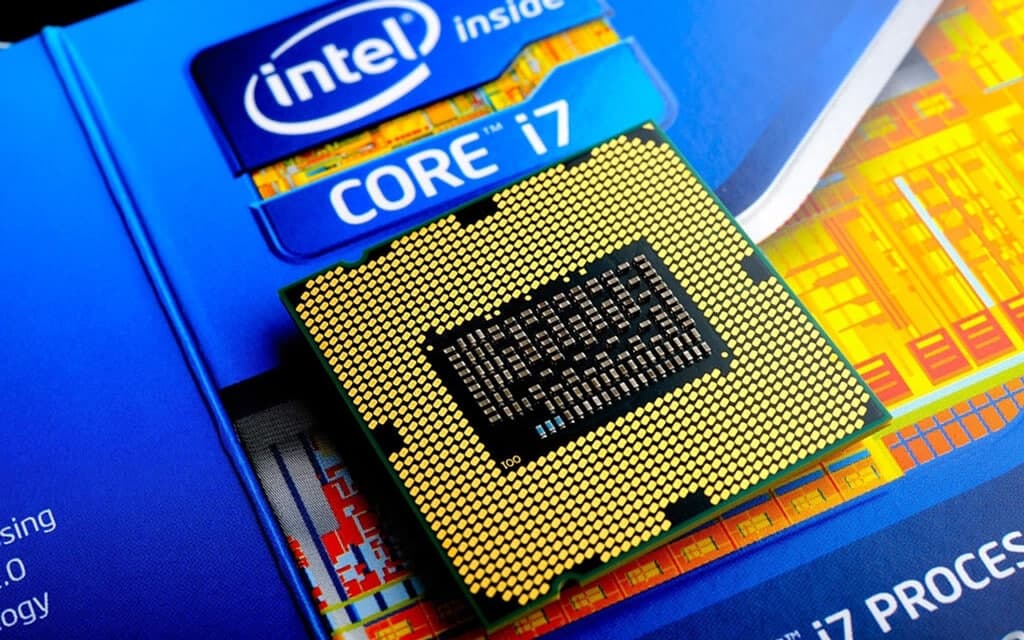
Laptop CPUs are BGA (ball grid array) packages: hundreds of tiny solder balls permanently bond the chip to the laptop's motherboard at the factory. Removing one requires hot-air rework equipment, and even then there's nowhere to put it — a BGA chip has no pins that fit any desktop socket, and the electrical layouts don't match either.
It wasn't always this way. Intel's last socketed laptop CPUs (Socket G3) shipped with the Haswell generation around 2014, and in that era you really could pull and swap a mobile chip. Every mobile generation since — Intel and AMD alike — has been solder-only, and manufacturers aren't going back: soldered chips are thinner, cheaper to assemble, and more reliable in a device that gets carried around.
So if your laptop was made after roughly 2015 — which at this point means essentially every laptop in use — its CPU is a permanent part of the board it's on.
The two weird exceptions
Boards with the laptop CPU already soldered on. Chinese manufacturers like Erying sell ITX and mATX desktop motherboards with a mobile Intel chip (say, a Core i7-12700H) pre-soldered at the factory — desktop RAM slots, PCIe slot for a graphics card, even standard desktop cooler mounting. For $200–350 you genuinely get a laptop CPU in a desktop. The catches: it's a gray-market AliExpress purchase with no real warranty, BIOS support is hit-or-miss, and you can never upgrade the CPU. A real product, but a hobbyist curiosity rather than an upgrade path.
BGA-to-LGA conversions. Repair shops in China have reballed laptop dies onto adapter boards that fit desktop LGA1151 sockets, turning mobile silicon into a drop-in "desktop" chip for old motherboards. It's a fascinating recycling hack you can read about online — and not something anyone can do at home or should buy blind.
Neither changes the practical answer for your laptop: its CPU isn't coming out.
The trend that IS real: laptop chips in desktop bodies
Here's the twist — the industry went the other direction. Instead of laptop CPUs moving into DIY desktops, entire desktops are now built around laptop-class silicon:
- Mini PCs from Minisforum, Beelink, GMKtec, and ASUS (which took over Intel's NUC line in 2023) are built around mobile chips like AMD's Ryzen AI 9 HX 370 — a literal laptop processor in a palm-sized desktop case.
- Apple's Mac mini uses the same M-series chips as MacBooks, idling at just a few watts.
- Framework's first desktop, announced in 2025, runs AMD's Ryzen AI Max — a mobile-derived chip that's soldered to the board, because AMD told Framework a socketed version wasn't technically feasible at the memory bandwidth the chip needs. When even the company famous for repairable laptops solders the CPU, that tells you where the engineering constraints are.
So if what you actually want is laptop efficiency in a desktop form factor, you don't need a soldering iron — you buy a mini PC. That's the modern version of this idea, done properly.
Understanding the naming (2026 edition)
The old suffix system this article once described ("2350U," "7500K") has been replaced on both sides. What matters today:
- Intel Core Ultra: U and V chips are the low-power laptop parts, H is the performance laptop tier, and HX is desktop-derived silicon in a laptop package — the one place laptop and desktop chips are genuinely the same design. Desktop chips carry K (unlocked) and F (no integrated graphics) as before.
- AMD Ryzen / Ryzen AI: mobile chips span one power range under the Ryzen AI branding, with HX marking the top laptop tier; desktop chips are the socketed AM5 parts (X, X3D).
The performance gap has narrowed dramatically at the top: an HX-class laptop chip is the same silicon as its desktop sibling, just held back by power and cooling limits. Down in the efficiency classes (U-series and similar), laptop chips still trade a lot of speed for battery life — which is why a mid-range desktop CPU still comfortably beats most laptop processors in sustained work.
What to do with an old laptop instead
If the goal was to salvage value from an aging laptop, better options than CPU extraction:
- Use the whole laptop as the computer. A home server is the classic move — Proxmox or Docker on an old laptop makes a capable homelab machine, with a built-in screen and keyboard for emergencies. One caveat if it runs 24/7 plugged in: cap the battery charge around 60–80% in the OS or BIOS (or remove a worn battery) rather than letting it sit at 100% forever.
- Salvage the parts that ARE removable. The SSD and (on many models) the RAM come out easily and work elsewhere — see our guide on using a laptop SSD in a desktop, which, unlike the CPU, is a genuine yes.
- Refresh it or pass it on. An SSD swap and a fresh OS install revives a lot of old machines — our guide on making an old laptop run like new covers the steps — and if not, here's what to do with an old laptop, from donation to responsible recycling.
Verdict
You can't move a laptop CPU into a desktop — the chip has been a permanent, soldered part of the laptop for over a decade, and no adapter changes that. The exceptions (pre-soldered Erying boards, Chinese reballing projects) prove the rule: getting a mobile chip onto a desktop board takes factory equipment, not a screwdriver.
The good news is that the sensible versions of this idea all exist: mini PCs deliver laptop silicon in desktop form, and an old laptop's storage, RAM, and even the whole machine itself can live useful second lives. The CPU just goes wherever the rest of the laptop goes.

Tech enthusiast and founder of Technize. Passionate about making technology accessible and helping people make smarter buying decisions.