How to find serial number on a laptop?
Jake Morrison·Updated February 2023
Disclosure: This post may contain affiliate links. If you purchase through these links, we may earn a small commission at no extra cost to you.
Serial Number in Windows
In this video you’ll learn how to find out your serial number. If you’d rather read instead, scroll down to see the instructions in text.
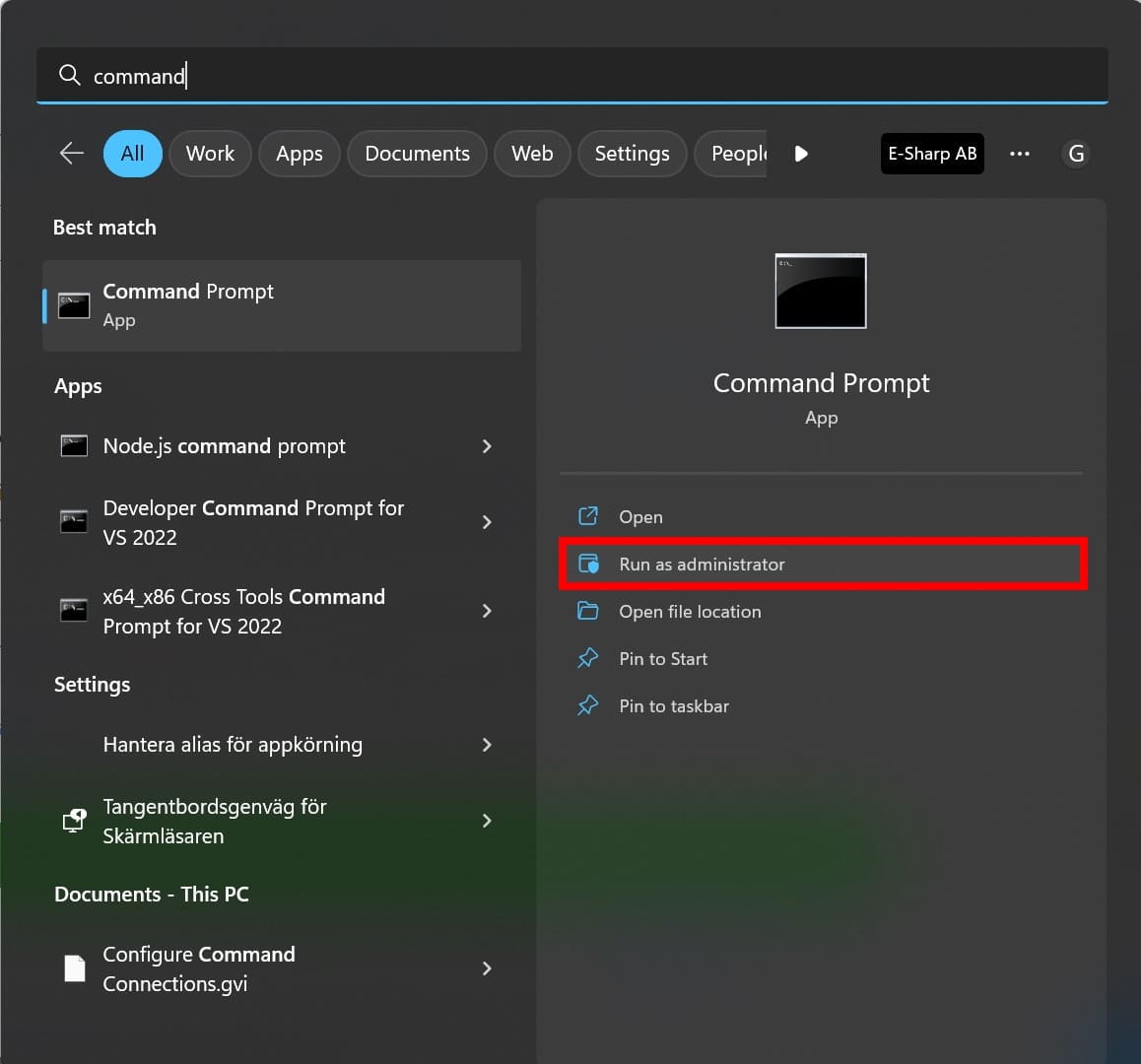
- Open the Windows Terminal by searching for Command Prompt in the search bar. Right click on the icon and select “Run as administrator”, as we need more rights than the normal user.
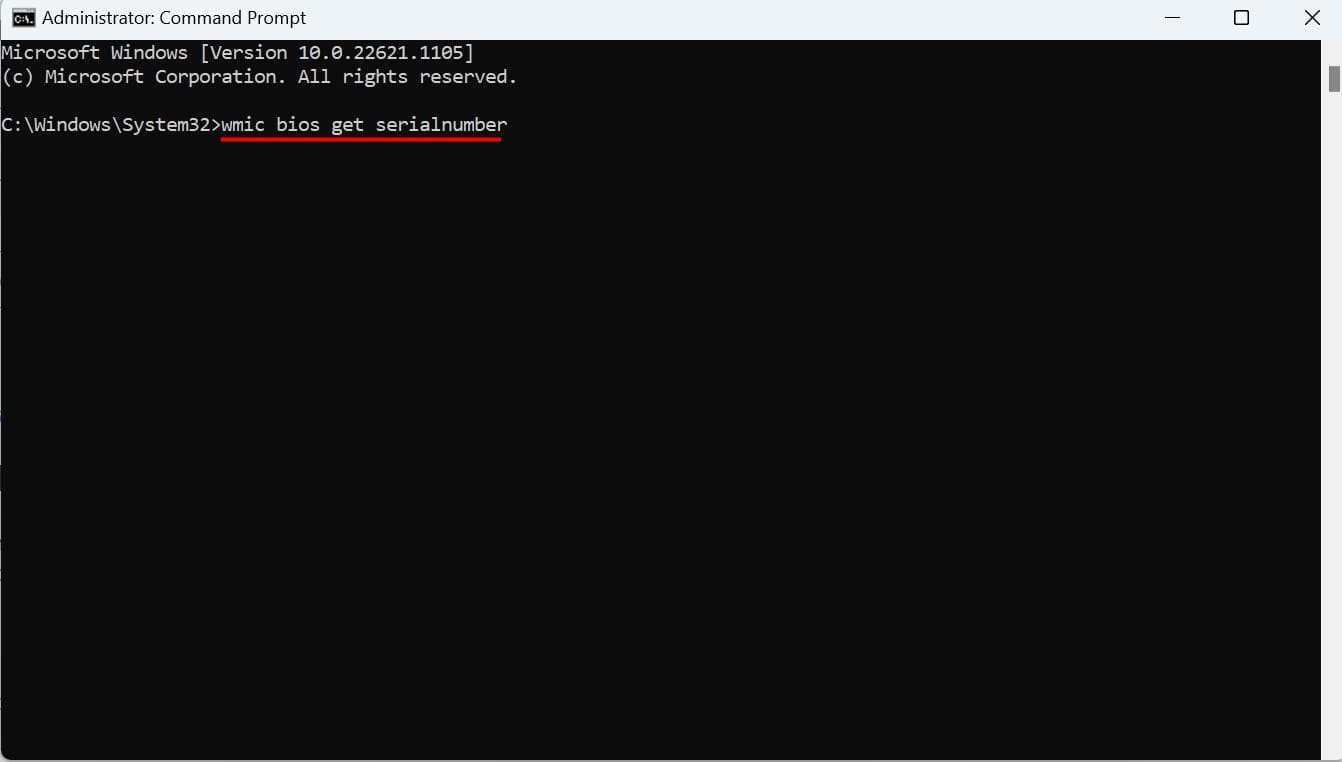
- Type “wmic bios get serialnumber” into the terminal and press Enter.
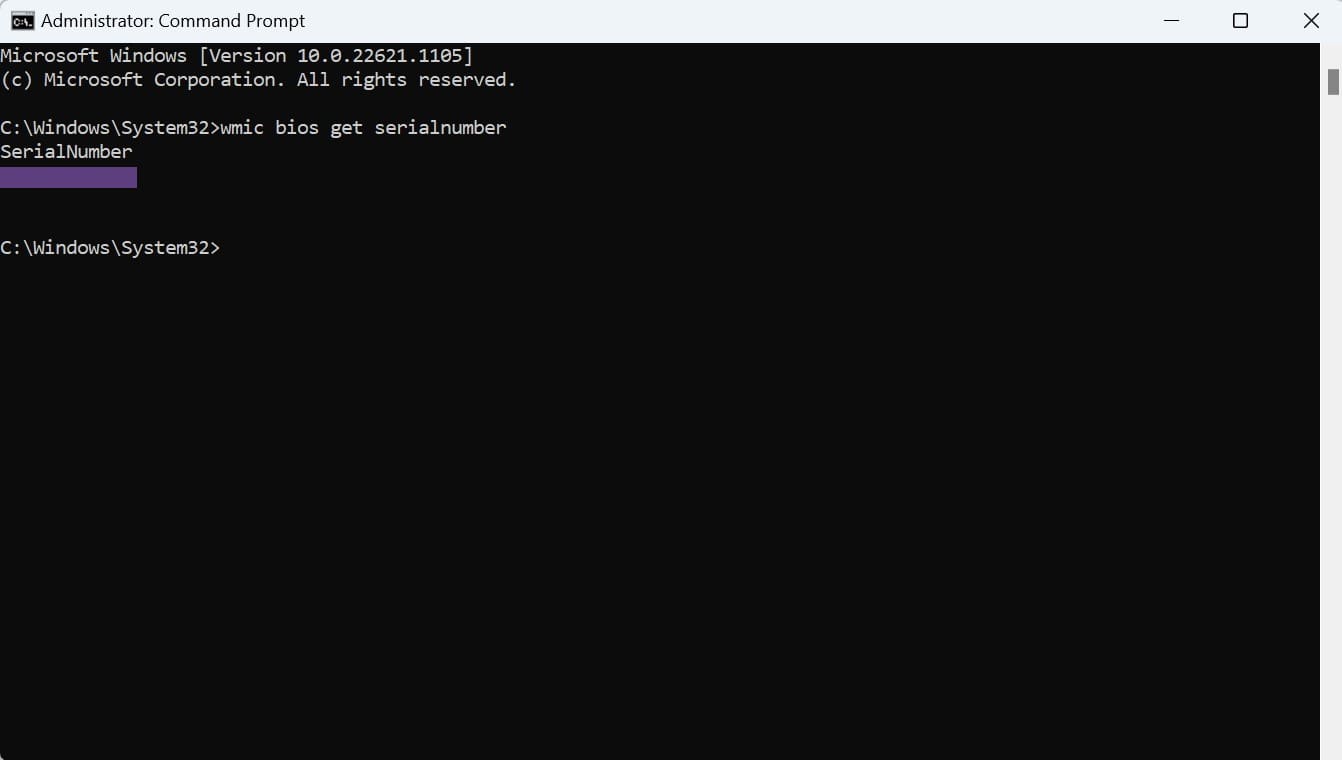
- Your individual laptop serial number is displayed in the terminal window.
If the terminal solution doesn’t work for you, you can usually also find it in the settings, under System, then About. We hope you found the serial number and can use it where you need it.

Jake MorrisonFounder & Editor
Tech enthusiast and founder of Technize. Passionate about making technology accessible and helping people make smarter buying decisions.