PCIe WiFi Card vs USB WiFi Adapter: Which Is Better in 2026?
Disclosure: This post may contain affiliate links. If you purchase through these links, we may earn a small commission at no extra cost to you.
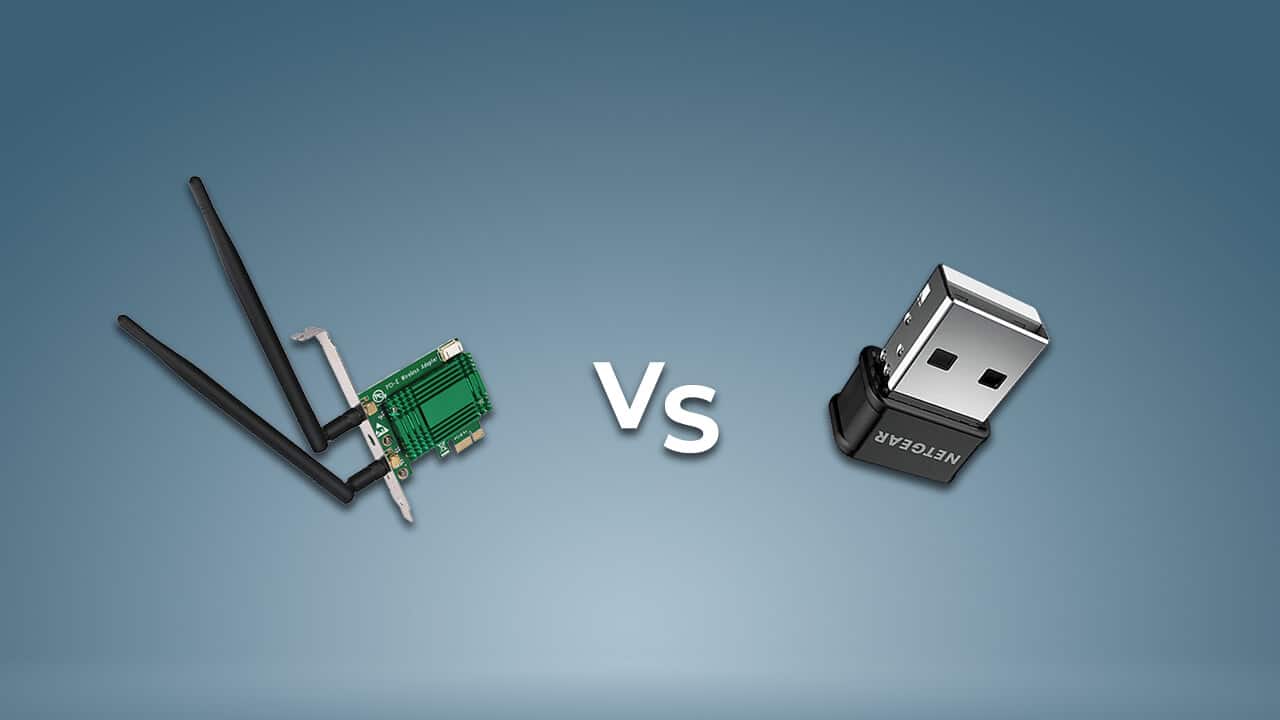
If you're adding wireless to a desktop (or upgrading an old adapter), you've got two main choices: an internal PCIe WiFi card that slots into your motherboard, or an external USB WiFi adapter that plugs into a port. They do the same basic job, but they are not equal — and the gap has actually widened in the WiFi 6E and WiFi 7 era. Here's how they really compare in 2026, and which one is right for you.
The short version: a PCIe card is faster, more reliable, and better for a permanent desktop; a USB adapter is more convenient, portable, and better for laptops or quick fixes. The catch most articles miss is why the speed gap exists — it comes down to the USB connection itself.
The current WiFi standards, quickly
- WiFi 7 (802.11be) — certified in 2024, now mainstream in routers and adapters. Its headline tricks are 320 MHz channels and Multi-Link Operation (using multiple bands at once).
- WiFi 6E — WiFi 6 plus the clean 6 GHz band; the mid-tier now.
- WiFi 6 — dual-band (2.4/5 GHz), the budget baseline.
Contrary to older advice, WiFi 7 USB adapters do now exist (the NETGEAR Nighthawk A9000, ASUS ROG USB-BE92, and TP-Link Archer models, among others). But — and this is the important part — they can't deliver WiFi 7's headline speeds, for a reason that gets to the heart of this comparison.
The real difference: the USB connection is a bottleneck
Most USB WiFi adapters connect over USB 3.0, which tops out at 5 Gbps, and use a 2-stream (2x2) radio. So even a "6.5 Gbps" WiFi 7 USB adapter realistically delivers around 1.7 Gbps in the real world — the USB link and antennas cap it well below the number on the box.
A PCIe card doesn't have that ceiling. A single PCIe x1 slot carries about 8 Gbps — comfortably more than any current client WiFi radio needs — so a PCIe card can actually use the wider 320 MHz channels and realize far more of WiFi 6E/7's potential. At WiFi 6 speeds the difference between the two is small; at WiFi 7 it's large.
Antennas and range
PCIe cards ship with two or three external antennas, often on a magnetic base you can reposition on your desk for the best signal. USB adapters have small or internal antennas and generally weaker range — a flush "nano" dongle is the worst offender. The exception is USB adapters with a cradle (like NETGEAR's Nighthawk line), which put the adapter on a cable with an adjustable antenna and close much of the gap.
Bluetooth: a quirk worth knowing
This trips a lot of people up. Most PCIe WiFi cards include Bluetooth (5.2 on WiFi 6 cards, 5.4 on WiFi 7 cards) — but the Bluetooth half doesn't run over the PCIe slot. It needs a separate internal cable to a 9-pin USB 2.0 header (F_USB) on your motherboard. If your USB headers are already used up, the card's Bluetooth won't work (WiFi still will). It's not a defect — a PCIe slot addresses one device, so the combo card routes WiFi over PCIe and Bluetooth over USB.
On the USB side, most fast WiFi adapters don't include Bluetooth at all. Only cheap, low-end combo dongles bundle it, and those usually pair it with older, slower WiFi. So if you want WiFi and Bluetooth from one device, a PCIe card is usually the better route — just make sure you have a free USB header.
Reliability, heat, and drivers
- Drivers: PCIe cards — especially Intel-chipset ones (AX210, BE200) — have mature, stable, often OS-bundled drivers. USB adapters are more prone to flaky drivers, dropped connections, and the classic "adapter vanished from Device Manager after sleep/wake or a Windows update."
- Heat: USB adapters can overheat under sustained load (big downloads, long transfers) because there's little room to dissipate heat in a small dongle — which shows up as throttled speeds or dropped connections until it cools. Internal PCIe cards handle heat far better.
- Latency for gaming: PCIe is more consistent (internal bus, better antennas, cooler operation), so fewer micro-drops. That said, for competitive gaming, wired Ethernet still beats both — and where you can't run a cable, MoCA (over coax) or powerline often beats WiFi for a stationary desktop.
Don't forget M.2
There's a third option many people overlook: lots of modern motherboards have an M.2 E-key slot for a WiFi module. In fact, most "PCIe WiFi cards" are literally an M.2 module (like an Intel BE200) mounted on a little PCIe carrier board with antenna leads. If your board has a free M.2 WiFi slot, you can install the same radio directly without using a PCIe slot — the PCIe card is just the packaging for boards that don't.
Some current picks
Prices are approximate for 2026 — use the links for the live figure.
- PCIe WiFi 7: TP-Link Archer TBE550E (around $70–80, Bluetooth 5.4 — note it's Windows 11 only) or an Intel BE200-based card (cheap, but Intel-platform only).
- PCIe WiFi 6/6E on a budget: an Intel AX210-based card (around $25–40) is superb value and adds the 6 GHz band.
- USB, if you need portability: the NETGEAR Nighthawk A8000 (WiFi 6E, with a cradle) is a proven pick; get a cradle/high-gain model rather than a nano dongle, and plug it into a rear USB 3.x port.
One buying note: some cards have compatibility strings worth checking — the TP-Link TBE550E is Windows 11 only, and Intel BE200 / ASUS PCE-BE92BT cards are advertised for Intel motherboards. For deeper lists, see our roundups of the best PCIe WiFi cards and the best USB WiFi adapters.
Which should you buy?
- Choose a PCIe (or M.2) card if it's for a permanent desktop and you care about speed, range, low latency, or want built-in Bluetooth. Best value: an Intel AX210 (WiFi 6E) or BE200/TBE550E (WiFi 7) card.
- Choose a USB adapter if you want portability, no case-opening, a quick fix, something you can move between machines, or you have no free slot. Pick a cradle/high-gain model, not a flush dongle.
- Consider Ethernet first where you can. For a stationary desktop that can reach the router (directly, or via MoCA or powerline), a wired connection beats any wireless adapter on stability and latency.
Frequently asked questions
What are the disadvantages of a USB WiFi adapter? The main ones: (1) a bandwidth bottleneck — most run on USB 3.0 (5 Gbps) with 2x2 antennas, so even "WiFi 7" USB adapters manage only around 1.7 Gbps in reality, far below their marketing numbers; (2) weaker antennas and range than a PCIe card (nano dongles are the worst); (3) overheating under sustained load, which throttles or drops the connection; (4) flakier drivers, with disconnects after sleep/wake or Windows updates; (5) usually no Bluetooth; (6) it occupies a USB port. The upsides are portability, low cost, and no installation.
Do PCIe WiFi cards have Bluetooth? Most do — Bluetooth 5.2 on WiFi 6 cards, 5.4 on WiFi 7 cards. The catch: the Bluetooth part doesn't run over the PCIe slot; you connect a small internal cable from the card to a 9-pin USB 2.0 header on your motherboard. No free header means no Bluetooth (WiFi still works).
Is a PCIe WiFi card faster than USB? At the top end, yes. The PCIe x1 bus (~8 Gbps) never bottlenecks a WiFi radio, and PCIe cards use wider channels and better antennas. Most USB adapters are limited by USB 3.0 and 2x2 streams, leaving WiFi 6E/7 speed on the table. At WiFi 6 speeds the gap is small; at WiFi 7 it's large.
Can I use a USB WiFi adapter on a desktop? Yes — it plugs into any USB port with no case opening. Use a rear USB 3.x port (not a front-panel port or hub) and prefer a cradle or high-gain model over a flush dongle for better range. It's the easiest desktop WiFi fix, though a PCIe or M.2 card performs better long-term.
Is there a WiFi 7 USB adapter? Yes, as of 2025–2026 — the NETGEAR Nighthawk A9000, ASUS ROG USB-BE92, and TP-Link Archer models, among others. But they're gated by the USB link: most use USB 3.0 and 2x2 radios, so real speeds (~1.7 Gbps) fall short of the "6.5 Gbps" labels, and many require Windows 11 for the 6 GHz band.
Are add-in WiFi cards better than a motherboard's built-in WiFi? Not always. Many motherboards already include the same Intel module with external antennas — in which case built-in is fine. An add-in card helps if your board has no WiFi, has an older module (and you want 6E or 7), or has badly placed antennas. The chipset and antenna placement matter more than card-versus-onboard.
The bottom line
For a desktop that stays put, a PCIe or M.2 WiFi card is the better long-term choice — it's faster where it counts, more stable, cooler under load, and can add Bluetooth. A USB adapter wins on convenience: it's the right pick for laptops, renters, quick fixes, and moving between machines, as long as you choose a cradle model over a tiny dongle. And if you can run a cable at all, wired Ethernet still beats both.

Tech enthusiast and founder of Technize. Passionate about making technology accessible and helping people make smarter buying decisions.