Can You Run A PC Without A GPU? [2026 Answer]
![Can You Run A PC Without A GPU? [2026 Answer]](/_next/image/?url=%2Fwp-content%2Fuploads%2FCan-a-PC-run-without-a-GPU.jpg&w=3840&q=75&dpl=dpl_EksRoMJvJYYdtJYq4CzUENiyLG9y)
Disclosure: This post may contain affiliate links. If you purchase through these links, we may earn a small commission at no extra cost to you.
Short answer: yes, a PC runs perfectly well without a dedicated graphics card — as long as your CPU has integrated graphics. Most computers do exactly this. The important catch is that some CPUs have no graphics of their own at all, and those genuinely can't put a picture on screen without a separate card. This guide explains the difference, and — the part that has changed the most since this article first ran — just how much modern integrated graphics can now do, including real gaming.
A graphics processor (GPU) handles everything visual your computer does, from drawing this text to rendering a game. There are two ways to get one: built into the CPU (integrated) or as a separate expansion card (dedicated). Dedicated cards are powerful but pricey — a good one can cost more than the rest of the PC — so it's a fair question whether you need one at all. For most people, the honest answer is no.
Quick answer
- A PC with integrated graphics (most Intel Core chips, AMD "G" APUs, and all laptops with an iGPU) runs with no dedicated GPU — fine for web, video, office work, and even light-to-moderate gaming.
- A PC whose CPU has no integrated graphics (Intel "F" models like the i5‑13400F, most older non‑G Ryzen, many high-core HX chips) cannot display anything without a dedicated GPU. It'll power on, but the screen stays black.
- You only truly need a dedicated GPU for serious gaming, 3D rendering, video production, or AI/ML work.
The three types of GPU
1. Integrated GPU (iGPU)
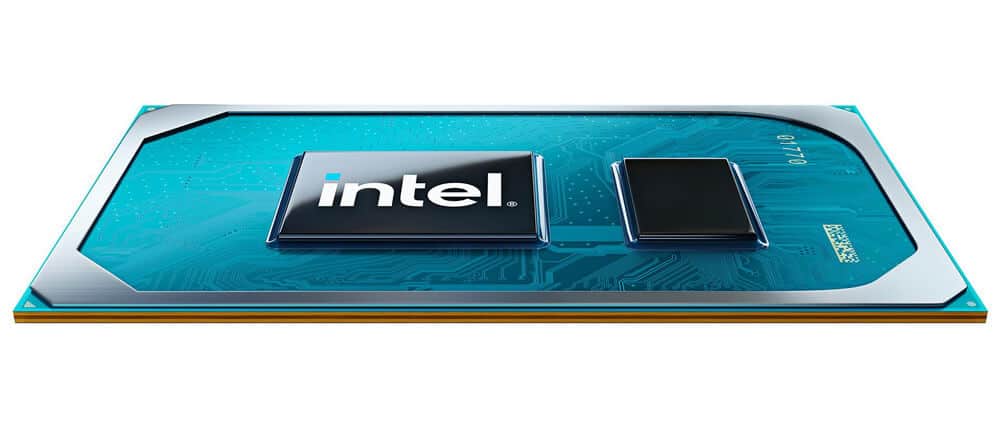
An integrated GPU lives on the same chip as the CPU and shares system memory with it. Because it's built in, there's nothing extra to buy or install. Integrated graphics used to be strictly "office only," but that stopped being true a couple of years ago — today's best iGPUs comfortably handle 1080p gaming (more on that below). They still share power and memory bandwidth with the CPU, so they trail dedicated cards, but for the vast majority of users they're all that's needed.
2. Dedicated GPU (discrete graphics card)
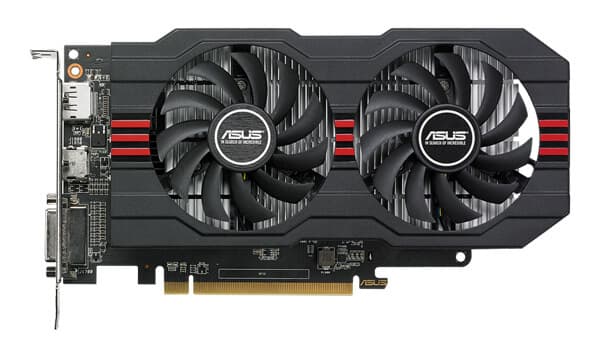
A dedicated (or discrete) GPU is a separate card that plugs into the motherboard's PCIe slot and has its own memory — anywhere from 8 GB on mainstream cards to 24 GB or more on high-end models. That dedicated memory and processing power is what lets it store and crunch huge amounts of graphics data for smooth, high-resolution gaming and rendering. You buy it separately, and the fast ones aren't cheap — which is exactly why so many people ask whether they can skip it.
3. eGPU (external GPU)
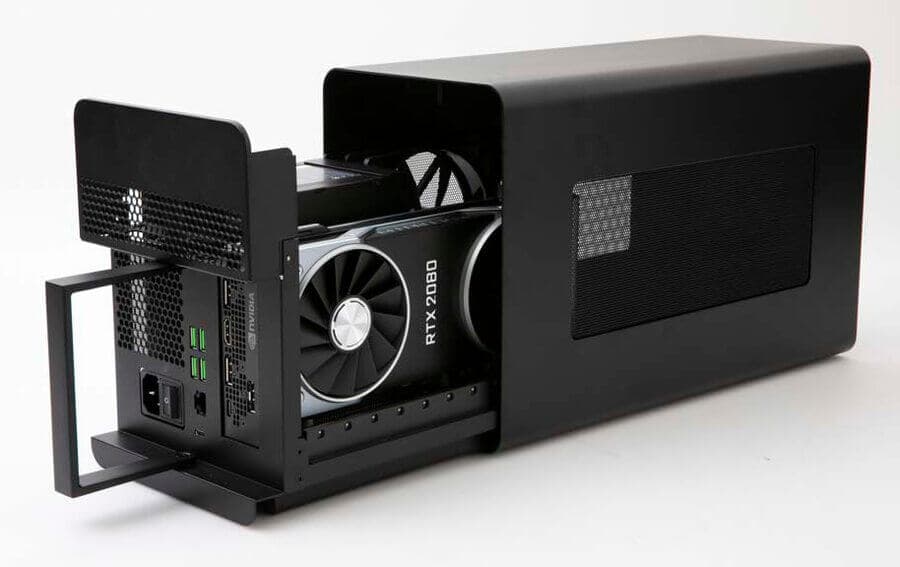
An external GPU is a desktop graphics card housed in an enclosure that connects to a laptop, usually over Thunderbolt or USB4. It's a way to give a thin, GPU-light laptop desktop-class graphics when it's docked at home. It's optional and niche — no laptop needs one to run.
Can a PC run without a GPU?
You can run a PC without a dedicated GPU. What you can't do is run one with no graphics processor at all — you need some GPU, integrated or discrete, just to get a picture on the screen.
Here's the distinction that trips people up. If your CPU has integrated graphics, that iGPU keeps your display alive and handles all the basics — colors, text, windows, video playback. You don't need a dedicated card on top of it unless you're doing demanding graphics work. This is the most common PC configuration in the world; the majority of office and home computers have no discrete GPU at all.
But if your CPU has no integrated graphics, there's nothing to drive the display. The machine will power on, the fans will spin, and it can even run "headless" as a server — but plug in a monitor and you'll get a black screen until you add a discrete card.
The catch: not every CPU has integrated graphics
This is the single most important thing to check before you build or buy, and most "can you run a PC without a GPU" articles skip it entirely.
| CPU type | Integrated graphics? | Can it run with no dedicated GPU? |
|---|---|---|
| Intel Core, non‑F (e.g. i5‑14600K) | Yes | Yes |
| Intel "F" models (e.g. i5‑13400F, i7‑14700KF) | No | No — needs a discrete GPU to display |
| AMD "G" APUs (Ryzen 7 8700G, Ryzen 5 8600G) | Yes — strong iGPU | Yes (and games well) |
| AMD Ryzen 7000 / 9000 desktop (non‑G) | Yes, but only a basic 2‑core iGPU | Yes for display; not for gaming |
| Older non‑G Ryzen (1000–5000, non‑G) | Mostly no | No — needs a discrete GPU |
| Many Intel HX / server chips | Often none | Usually needs a discrete/workstation GPU |
A few facts worth knowing:
- The "F" in an Intel model name means the integrated graphics are disabled. These chips are a little cheaper, but they have no video output on their own — an i5‑13400F literally cannot show you a desktop without a graphics card installed.
- AMD's Ryzen 7000 series was the first non‑G desktop Ryzen to include an iGPU — a small two-core RDNA 2 block, carried into Ryzen 9000. It's enough to drive a monitor and handle everyday tasks, but AMD and reviewers are clear that it's not meant for gaming. Most older non‑G Ryzen chips (the 1000–5000 series without a "G") had no iGPU at all.
- AMD's "G" APUs are the exception that games — their integrated graphics are in a different league (see below).
So before you assume you can go GPU-free, look up your exact CPU. If it has integrated graphics, you're set. If it's an "F" chip or an older non‑G Ryzen, budget for at least a basic graphics card.
When do you actually need a dedicated GPU?

You want a discrete GPU if you do any of the following:
- Play modern games at high settings, high resolutions, or high refresh rates — especially with ray tracing.
- 3D rendering and CAD work in tools like Blender or AutoCAD, where a GPU dramatically speeds up viewport and final renders.
- Serious video editing and effects — GPU acceleration cuts export and preview times significantly.
- AI and machine learning — training and running models leans heavily on GPU compute.
If none of that describes you — if you mostly browse, stream video, write documents, join video calls, and maybe play lighter or older games — integrated graphics will serve you well, and a dedicated card is money you don't need to spend.
How good is integrated graphics in 2026?
This is the biggest change since this article was first written. A few years ago, integrated graphics couldn't run a modern game at all. Today, the best ones rival the entry-level dedicated cards of the recent past.
- AMD Radeon 780M (in the Ryzen 7 8700G and many 2024–2025 laptops) benchmarks roughly on par with a discrete GTX 1650. In practice that's 40–60 fps in most modern games at 1080p low/medium, and comfortably above 60 fps with FSR upscaling. It's very sensitive to memory speed, so fast DDR5 matters.
- AMD Radeon 890M (in Ryzen AI 300 laptop chips) is about 30% faster again — enough for smooth 1080p gaming and even 1440p in lighter titles.
- Intel's Arc integrated graphics (in Core Ultra chips, e.g. Arc 140V) leapt roughly 3–4× over the old UHD 630 and now trade blows with the Radeon 890M — a night-and-day difference from the integrated graphics of a few years ago.
The clearest proof that you can game with no dedicated GPU is sitting in millions of hands already: the Steam Deck and ASUS ROG Ally are complete gaming PCs with no discrete graphics card. They run on AMD APUs — the same class of integrated graphics you'd find in a modern laptop or an 8700G desktop — and play a huge chunk of today's library. If a handheld can do it, so can a GPU-free desktop.
None of this replaces a real graphics card for high settings, high refresh, or ray tracing. But for esports titles, indies, older games, and modern AAA games at modest settings, integrated graphics in 2026 are genuinely playable.
The best chips to game on without a dedicated GPU
If you specifically want a desktop that games without buying a graphics card, get an AMD "G" APU on socket AM5:
- AMD Ryzen 7 8700G — 8 cores plus the Radeon 780M, the strongest desktop integrated GPU you can buy (around $329, often less). Best if you want maximum iGPU headroom. Check price on Amazon
- AMD Ryzen 5 8600G — 6 cores plus the Radeon 760M (around $229). Reviewers call it the value iGPU-gaming champion: it's only about 10% slower than the 8700G in games for meaningfully less money. Check price on Amazon
Two tips: pair either with fast DDR5 (6000 MT/s or higher) — integrated graphics scale hard with memory bandwidth — and note both are 65 W chips that drop into inexpensive AM5 boards and include a cooler.
What about GPUs, crypto, and AI?
Older guides on this topic often mention cryptocurrency mining as a reason GPUs are in demand. That's out of date. Ethereum switched from proof-of-work to proof-of-stake in September 2022 ("The Merge"), which ended Ethereum GPU mining and cut the network's energy use by about 99.95%. Ethereum was by far the biggest GPU-mining use case, so demand from mining collapsed. A handful of smaller coins are still GPU-mined, but profitability is marginal — usually a dollar or two per card per day before electricity.
What replaced it is far bigger: GPUs are now in massive demand for AI and machine learning. The same parallel-processing strengths that once made GPUs good at mining make them the engine of AI training and inference, and data-center demand for them is exploding. So GPUs remain heavily sought-after — just for AI compute now, not crypto.
Frequently asked questions
Can a PC boot without a GPU? Yes — a PC will power on and complete its startup checks with no graphics processor, but you won't see anything on screen. To get a picture you need graphics output from either an integrated GPU or a dedicated card.
Will a PC turn on without a graphics card? Yes. It powers up, fans spin, and it can even run headless as a server. But without an integrated GPU or a discrete card, there's no video output to a monitor.
Do you need a GPU if you have integrated graphics? No. Integrated graphics handle web browsing, 4K video, office work, video calls, light photo editing, and even 1080p gaming on modern chips. You only need a dedicated GPU for serious gaming, 3D rendering, video production, or AI work.
Can I use a CPU that has no integrated graphics without a GPU? No. If your CPU lacks an iGPU — every Intel "F" model (like the i5‑13400F), most HX and server chips, and older non‑G AMD Ryzen — you must install a dedicated graphics card just to get a display. Check your CPU's spec page before building.
Is integrated graphics enough for gaming in 2026? For esports and older or indie titles, easily — often 60+ fps at 1080p. For modern AAA games, the best integrated graphics (Radeon 780M/890M, Intel Arc) manage roughly 30–60 fps at 1080p low/medium, more with FSR or XeSS upscaling. For high settings, high refresh, or ray tracing, you still want a dedicated GPU.
What's the best CPU to game on without a graphics card? An AMD "G" APU: the Ryzen 7 8700G (Radeon 780M) or the better-value Ryzen 5 8600G (Radeon 760M). Pair either with fast DDR5-6000+ memory.
Does a GPU-less PC still work for everyday use and working from home? Absolutely — as long as the CPU has integrated graphics. A GPU-free PC runs Windows, browsers, video calls, Office, and 4K video playback perfectly. It's the most common configuration in office and budget machines.
Final thoughts
You can run a PC without a dedicated GPU, and most people should — integrated graphics now cover everything from everyday work to real 1080p gaming, and skipping a discrete card saves real money. Just check one thing first: make sure your CPU actually has integrated graphics. If it's an Intel "F" chip or an older non‑G Ryzen, you'll need at least a basic graphics card to see anything at all.
If gaming is a big part of your life and you care about high settings and frame rates, spend on a dedicated GPU — it's the single biggest upgrade to your experience. If you're a casual gamer or mostly work and browse, an integrated GPU (or a Ryzen "G" APU if you want to game a little) is all you need. For more, see our guide to what graphics card you have and how to improve gaming performance.

Tech enthusiast and founder of Technize. Passionate about making technology accessible and helping people make smarter buying decisions.