Is a 256GB SSD Enough for a Laptop in 2026?
Disclosure: This post may contain affiliate links. If you purchase through these links, we may earn a small commission at no extra cost to you.
Quick answer: 256GB is enough for everyday use — web, email, Office, streaming, and schoolwork — but it's not enough for modern gaming or a photo/video library. After Windows and system files take their share, you're left with roughly 180GB of genuinely usable space, and a single big 2026 game can be larger than that on its own.
Below we break down what a 256GB SSD actually holds, who it's enough for, and what to do if it isn't — because in 2026, with SSD prices rising instead of falling, the "just buy more storage later" advice needs an update.
What does a 256GB SSD mean in a laptop?
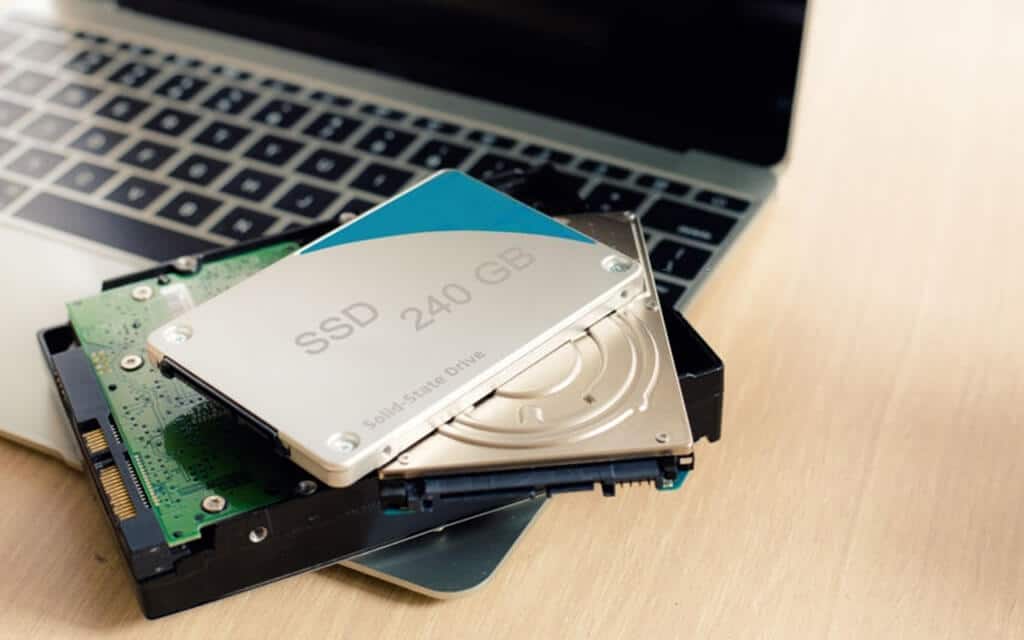
A "256GB SSD" is your laptop's main drive — where the operating system, your programs, and your files all live. SSD stands for solid-state drive: flash memory with no moving parts, which is why modern laptops boot in seconds where old hard-drive laptops took a minute or more.
Two things surprise people about that 256GB number:
- Windows shows about 238GB, not 256GB. Nothing is missing — drive makers count 1GB as one billion bytes, while Windows counts in binary units (1,073,741,824 bytes), so the same drive displays as ~238GB.
- The operating system takes a big first bite. A Windows 11 install lands around 27–30GB and grows with cumulative updates; add the hibernation file (by default 40% of your RAM — over 6GB on a 16GB laptop) and the paging file, and the system typically claims 40GB+ before you store a single file of your own.
Realistically, a 256GB laptop gives you about 180–190GB of usable space — and you shouldn't even fill all of that, as we'll see below.
How much is 256GB of storage, really?
Here's what common files and programs actually take up in 2026, so you can do the math for your own use:
| Item | Typical size |
|---|---|
| Windows 11 + system files | ~40GB and growing |
| Microsoft 365 (Office apps) | 4–12GB with updates |
| Spotify offline cache | 2–10GB |
| Smartphone photo (HEIC) | 2–5MB each (~250,000 photos per 180GB — photos are rarely the problem) |
| Smartphone photo (ProRAW) | 25–75MB each |
| 1 hour of 4K/60 video | ~24GB |
| Minecraft | 1–3GB |
| Roblox | ~1GB |
| Valorant / League of Legends | ~26GB / ~22GB |
| Counter-Strike 2 | ~65GB installed |
| Cyberpunk 2077 (with expansion) | ~115–125GB |
| Baldur's Gate 3 | 150GB+ |
| Call of Duty: Black Ops 7 (everything installed) | ~214GB |
That last row is the eye-opener: one fully-installed Call of Duty is bigger than the entire usable space on a 256GB laptop.
Is 256GB enough for everyday use and students?
Yes, comfortably. Web browsing, email, Office documents, note-taking, video calls, and streaming barely touch the drive — documents are measured in kilobytes and megabytes, and streaming (Netflix, YouTube, Spotify without downloads) uses almost no local storage. This is why budget laptops and even Apple's new $599 MacBook Neo still ship with 256GB as the base configuration: for typical everyday use, it genuinely is enough.
If this describes you, don't pay extra for storage you won't use. Spend the difference on more RAM or a better screen instead — see our guide on how much storage a laptop actually needs.
Is 256GB SSD enough for programming?
Usually yes, with caveats. Code itself is tiny, and Git hosting (GitHub/GitLab) keeps your history off your machine. A handful of projects plus your editor and toolchains fit easily in 180GB.
The caveats are the modern tooling around the code: a single JavaScript project's node_modules folder commonly runs 300–600MB, unoptimized Docker images exceed 1GB each, and a local VM or a couple of LLM models can eat tens of gigabytes. A web developer with a few active projects is fine on 256GB; if your workflow includes Docker Desktop, VMs, or machine-learning work, go 512GB or larger — or get used to regular cleanup.
Is 256GB enough for photos and video?
No, not for a serious library. The numbers from the table make it plain: at ~24GB per hour of 4K/60 footage, about 7–8 hours of video fills the entire usable drive. A ProRAW photo library at 25–75MB per shot scales the same way, and you still need room for editing software and scratch space.
Photographers and video editors should treat 256GB as a boot drive only, with the actual library on an external SSD or a NAS — our guide to using an external hard drive with a laptop covers the setup. Casual phone-photo users are a different story: at 2–5MB per HEIC photo, tens of thousands of snapshots fit without trouble.
Is a 256GB SSD good for gaming?
No — this is the clearest "not enough" of all. With ~180GB of real space, you can hold an esports library (Valorant, League, CS2 and a few indies fit in ~115GB) but only one or two big AAA titles, and the largest 2026 releases don't fit at all. You'll spend your time uninstalling one game to make room for another, and Windows updates will fail when the drive runs out of headroom.
For a gaming laptop, 1TB is the sensible baseline in 2026, with 512GB the absolute floor. Lightweight games are the exception — Minecraft and Roblox run happily on any storage size (see our best laptops for Minecraft).
Does filling up an SSD make it slower?
Yes. SSDs can't overwrite data in place — they have to erase a block before rewriting it, and the drive's housekeeping (TRIM and garbage collection) needs empty blocks to work with. Crucial recommends keeping at least 10% of the drive free, and Kingston suggests closer to 20%; past roughly 90% full, write speeds can drop sharply.
On a 256GB drive, that headroom rule costs you another 25–50GB of the space you thought you had — one more reason the drive feels smaller than the sticker says. If your laptop has slowed down and the drive is nearly full, freeing up space is the first fix to try (more in our guide to speeding up a laptop).
SSD vs HDD: is a 256GB SSD better than a 1TB hard drive?
For a laptop's main drive, yes — take the SSD every time, even at a quarter of the capacity. A 7,200rpm hard drive manages 80–160MB/s; a SATA SSD reaches ~550MB/s, and the NVMe drives in modern laptops reach 7,000MB/s (PCIe 4.0) to 14,000MB/s (PCIe 5.0). The difference in responsiveness is even bigger than those sequential numbers suggest, because SSDs handle small random reads — the kind that dominate boot times and app launches — orders of magnitude faster. SSDs are also silent, more power-efficient, and far more tolerant of the bumps a laptop takes.
The 1TB HDD only wins as secondary storage: an external drive for backups and media, where capacity per dollar matters and speed doesn't.
What if 256GB isn't enough? Your options in 2026
One important 2026 change: SSD prices are rising, not falling. NAND flash contract prices jumped roughly 70% in early 2026 as AI datacenters absorbed manufacturing capacity, and popular 1TB drives roughly doubled from their late-2025 lows. The old advice of "buy small now, upgrade cheaply later" is riskier than it used to be — if you know you'll need the space, getting it up front is the safer bet (the same logic applies to RAM right now, as we noted in our 32GB RAM laptop guide).
Your options, in rough order of value:
- Upgrade the internal SSD (Windows laptops). Most Windows laptops use a standard socketed M.2 NVMe drive that takes 15 minutes to swap. A 1TB M.2 drive runs about $110–200 at mid-2026 prices — no longer the $60 bargain of 2024, but still the best value per gigabyte. Check your model's manual for the M.2 size (2280 in most laptops, the shorter 2230 in some ultraportables). Find 1TB NVMe SSDs on Amazon.
- Add an external SSD. A 1TB portable SSD (Samsung T7, Crucial X9 class, ~1,050MB/s over USB) costs around $100–180 and needs zero surgery. Ideal for game libraries, photo archives, and project files. Find 1TB portable SSDs on Amazon.
- Use cloud storage for overflow. iCloud+ and Google One both offer 200GB for $2.99/month and 2TB for $9.99/month; Microsoft 365 Personal bundles 1TB of OneDrive with Office for $6.99/month. Good for documents and photo backup, not for games or video editing.
Mac buyers, note: Apple Silicon MacBooks have storage soldered to the board — there is no upgrade later, period. Buy the capacity you'll need for the machine's whole life. (Apple has softened the pain at the top: the M5 MacBook Air now starts at 512GB.)
Frequently asked questions
Why does my 256GB SSD only show 238GB? Different counting units, not missing space. Drive makers define 1GB as one billion bytes; Windows reports in binary gigabytes (1,073,741,824 bytes), so 256 billion bytes displays as roughly 238GB. Every drive of every brand does this.
How many photos can 256GB hold? Tens of thousands. Typical smartphone photos (HEIC) are 2–5MB, so 180GB of free space holds on the order of 40,000–90,000 of them. Shoot ProRAW at 25–75MB each, though, and the same space holds only a few thousand.
Is 256GB enough for Windows 11? Yes — Microsoft's minimum requirement is a 64GB drive, and Windows 11 with updates typically occupies 40GB or so. The OS fits fine; the question is how much room is left for what you install.
How long will a 256GB SSD last? Longer than you'll keep the laptop, in most cases. A typical 250GB-class consumer SSD is rated around 150 terabytes written — roughly 80GB of writes every day for five years. Age and failure are less of a worry than simply outgrowing the capacity. Either way, keep backups: when SSDs do fail, data recovery is much harder than on a hard drive.
Should I get 256GB or 512GB? If the price gap is small (Apple charges $100 per tier; Windows OEMs vary), 512GB is the safer default — it removes the headroom anxiety entirely and helps resale value. Pick 256GB when the budget is tight and your use is genuinely light: browsing, Office, streaming, schoolwork.
The final verdict
A 256GB SSD is enough for a laptop used the way most people actually use one — web, Office, streaming, study — and it's still what base-model budget laptops sensibly ship with in 2026. It is not enough for a gaming library, a photo/video archive, or a Docker-heavy development setup; for those, start at 512GB–1TB or plan on an external SSD from day one.
If you're sizing up a new machine, our guides on how much storage you need and how to increase laptop storage go deeper — and if your current drive is simply full and slow, see how to speed up your laptop before you spend anything.

Tech enthusiast and founder of Technize. Passionate about making technology accessible and helping people make smarter buying decisions.