Laptop Hard Drive Sizes: What Size Do You Need in 2026?
Disclosure: This post may contain affiliate links. If you purchase through these links, we may earn a small commission at no extra cost to you.
"Laptop hard drive size" means two different things, and this guide covers both:
- Physical size — the drive's dimensions. Modern laptops use gum-stick-sized M.2 SSDs (usually 22×80mm); the old standard was the 2.5-inch drive bay.
- Storage capacity — how many gigabytes you need. Quick answer: 512GB is the sensible mainstream choice in 2026, 256GB works for light use, and gamers and creators should start at 1TB.
One thing has changed completely since this guide was first written: new laptops no longer ship with mechanical hard disks at all. Here's the current landscape, and how to size a drive so you don't run out of space — or overpay for space you'll never touch.
Laptop drive physical sizes
Four form factors matter when you're buying or upgrading, and only two of them belong in a laptop:
| Form factor | Dimensions (W × L × H) | Where it's used |
|---|---|---|
| M.2 2280 | 22 × 80 × ~2–4mm | Nearly all modern laptops and desktops |
| M.2 2230 / 2242 | 22 × 30mm / 22 × 42mm | Thin ultraportables, Steam Deck, some tablets |
| 2.5-inch | 69.85 × 100 × 7 or 9.5mm | Older laptops (pre-~2020), upgrades, external enclosures |
| 3.5-inch | 101.6 × 146 × 26.1mm | Desktops and NAS only — physically too big for any laptop |
The M.2 number is just width and length in millimeters: a "2280" drive is 22mm wide and 80mm long. 2280 is the default — if you're upgrading a Windows laptop, that's almost certainly the slot you have, but check the service manual, because some compact machines take the shorter 2230 or 2242 sizes.
A 3.5-inch drive has never fit in a laptop, so if you're shopping for one, you're looking at desktop or NAS storage.
New laptops don't have hard disks anymore
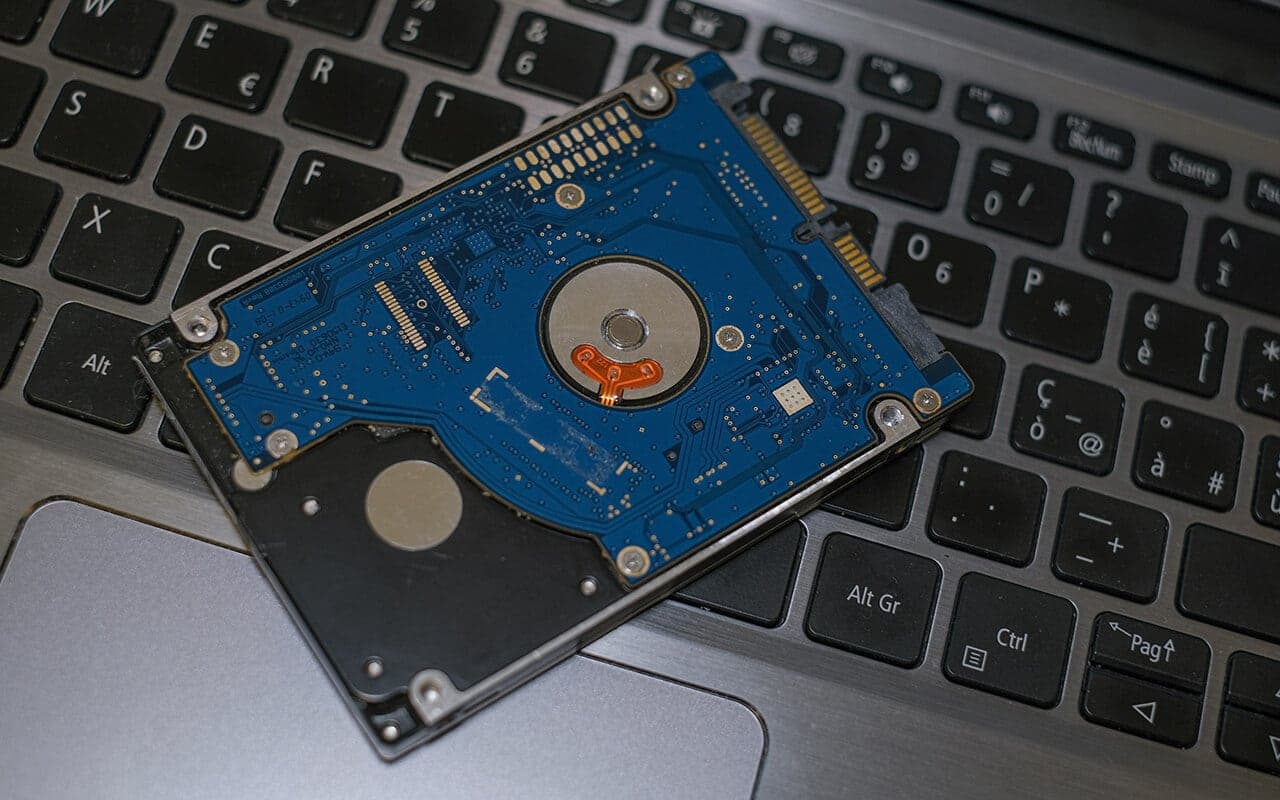
The mechanical hard drive era in laptops is over. Dell, HP, and Lenovo had all eliminated HDDs from their laptop lineups by early 2022, and in 2026 you won't find a mainstream new laptop sold with a spinning drive. Everything ships with a solid-state drive — no moving parts, faster, quieter, and far more tolerant of being carried around.
Where 2.5-inch drives (mechanical and SATA SSD) still matter:
- Upgrading an older laptop that has a 2.5-inch bay — dropping in a SATA SSD remains the single best speed upgrade for a pre-2020 machine.
- External storage — 2.5-inch drives live on inside USB enclosures and portable drives, where capacity per dollar beats speed.
SATA vs NVMe: the interface matters as much as the size
Two drives can be the same physical size and perform completely differently, because what actually determines speed is the interface:
| Interface | Typical sequential speed | Notes |
|---|---|---|
| Laptop hard disk (SATA) | ~100–150MB/s | Obsolete in new laptops |
| SATA SSD (2.5" or M.2) | ~550MB/s | Interface-capped; still a huge upgrade over HDD |
| NVMe PCIe 3.0 | ~3,500MB/s | Older/budget laptops |
| NVMe PCIe 4.0 | ~7,000MB/s | The 2026 mainstream |
| NVMe PCIe 5.0 | ~14,000MB/s | High-end laptops and desktops |
A common point of confusion: M.2 is the shape, not the speed. An M.2 slot can carry either a slower SATA drive or a fast NVMe drive, which talks directly over PCIe — the same high-speed bus a graphics card uses. For everyday browsing the difference between SATA and NVMe is hard to feel; it shows up in big file transfers, video editing, and game load times. Our NVMe vs M.2 vs SATA explainer breaks the jargon down further.
Capacity has moved on too: where laptop SSDs once topped out around 1TB, consumer M.2 drives now go up to 8TB, with 2TB and 4TB as the common "big" tiers.
How much storage do you actually need?
Start from what the system takes: Microsoft's minimum requirement is a 64GB drive, and a Windows 11 install lands around 27–30GB, growing past 40GB with updates, the hibernation file, and paging. Then budget for your real usage:
| Use case | Recommended capacity |
|---|---|
| Web, email, Office, streaming | 256GB (comfortable: 512GB) |
| Students (cloud-first work) | 256–512GB |
| Photography / video editing | 1TB minimum; 2TB+ for 4K/RAW work |
| Gaming | 1TB minimum (512GB absolute floor) |
| Programming | 512GB (Docker/VM-heavy work: 1TB) |
The gaming number deserves emphasis: today's AAA titles run 80–130GB each, and a fully-installed Call of Duty tops 200GB by itself — more than the usable space on an entire 256GB drive. One hour of 4K/60 footage eats roughly 24GB, which is why serious video work starts at 1TB.
If you're weighing the entry tier, our dedicated guide answers whether a 256GB SSD is enough use-case by use-case. And whatever you choose, leave 10–20% of the drive free — SSDs slow down when nearly full because their housekeeping needs empty blocks to work with.
The 2026 wrinkle: storage prices are rising, not falling
For a decade the advice was "buy small, upgrade cheap later." That advice is currently broken. NAND flash prices surged through late 2025 and 2026 as AI datacenters absorbed manufacturing capacity — popular 1TB drives roughly doubled from their late-2025 lows, and analysts expect the squeeze to last into 2027.
Practical consequences:
- Right-size at purchase. The storage configured in a new laptop is likely cheaper than the same upgrade bought separately later this cycle.
- This matters double on Macs. Apple Silicon MacBooks have storage soldered to the board — there is no upgrade later, ever. Buy the capacity you'll need for the machine's whole life.
- Expect volatile prices. As of mid-2026, a 1TB NVMe drive runs roughly $100–200 depending on model, and the old SATA-vs-NVMe price premium has all but vanished — there's rarely a reason to buy a new SATA SSD for an M.2 slot.
HDD vs SSD: is there still a contest?
Not for the drive your laptop boots from. A SATA SSD is about four times faster than a laptop hard disk in sequential work, an NVMe drive up to fifty times — and the real-world gap in boot times and app launches is even more dramatic, because SSDs handle the small random reads that dominate those tasks orders of magnitude faster. A hard-drive laptop takes a minute or two to reach the Windows desktop; an NVMe laptop takes seconds.
Durability points the same way. An SSD has no heads or platters to crash when the laptop gets bumped, fleet reliability data shows SSDs failing less often than hard disks, and consumer drives carry 5-year warranties with endurance ratings (150–600TB written for typical capacities) that ordinary use won't approach in the laptop's lifetime. Hard disks only win as cheap secondary capacity — external backup and media drives, where speed doesn't matter. For gaming specifically, see our SSD vs HDD for gaming comparison.
Out of space? Your upgrade options
- Swap the internal M.2 drive (most Windows laptops). A standard socketed M.2 2280 drive takes about 15 minutes to replace; check your model's manual for the slot size and whether there's a second empty slot. Find 1TB NVMe SSDs on Amazon. You can move your system over without starting from scratch — here's how to install an SSD without reinstalling Windows.
- Add an external SSD. A 1TB portable SSD (~1,050MB/s over USB-C) needs no surgery and is ideal for game libraries and media. Find portable SSDs on Amazon.
- Clean up and offload. Cloud storage for documents and photos, and a cleanup pass, can buy a surprising amount of time — more ideas in how to increase laptop storage.
Frequently asked questions
What is the average laptop hard drive size? The average laptop hard drive size in 2026 is 512GB — that's what new mainstream laptops typically ship with. Budget models start at 256GB, and gaming/creator machines at 1TB. Physically, almost all of them use the M.2 2280 form factor.
Are all laptop hard drives the same size? Physically, nearly — modern laptops overwhelmingly use M.2 2280 SSDs (some thin models use the shorter M.2 2230), while older laptops used 2.5-inch drives. The two aren't interchangeable, so check which your laptop takes before buying an upgrade.
Are laptop and desktop hard drives the same size? No. Desktops historically used 3.5-inch drives and laptops 2.5-inch — the 3.5-inch never fit in a laptop. Today the two have converged: both use the same M.2 SSDs, so a modern laptop drive works fine in a desktop's M.2 slot.
How do I find out what drive my laptop has? On Windows, open Task Manager (Ctrl+Shift+Esc) → Performance → your disk is listed with its model name; search that model to see its form factor and interface. Your laptop maker's service manual (or a teardown video) tells you what the slot accepts.
Is a 256GB laptop enough in 2026? For web, Office, streaming, and schoolwork — yes. For gaming, photo/video libraries, or heavy development work — no. Our 256GB SSD guide has the full breakdown.
Can I still buy a laptop with a 1TB or 2TB hard disk? Not a new one from a major brand — Dell, HP, and Lenovo all dropped HDDs from laptops by 2022. If you need cheap bulk capacity alongside a laptop, the modern equivalent is an external drive.
The final verdict
Physically, the laptop storage question has a one-word 2026 answer: M.2. On capacity, buy for your heaviest realistic use — 256GB for genuinely light users, 512GB as the safe mainstream default, 1TB+ for games and media work — and with SSD prices rising rather than falling, err toward the bigger tier at purchase, especially on machines with soldered storage.
Sizing a whole machine? See how much storage you need on a laptop, our NVMe vs SATA explainer, and how to increase laptop storage when the drive you have starts feeling small.

Tech enthusiast and founder of Technize. Passionate about making technology accessible and helping people make smarter buying decisions.